
Gift
Dapatkan Diskon 50%Hanya Pembelian Pertama

Data eSIM Kecepatan Tinggi
untuk Perjalanan Global Global

Terhubung secara instan di 190+ negara. Nikmati data eSIM berkecepatan tinggi saat Anda mendarat—perjalanan Anda yang mulus dan bebas khawatir dimulai di sini.

Check Hemat 50% untuk eSIM pertama Anda.
Tujuan pencarian
Ayo berangkat
App Screen
Card Multi Pembayaran
User
Global Ball Tetap terhubung
Fun
Secure Aman
Fun
Flexible Fleksibel

Bepergian dengan konektivitas lancar dan berkecepatan tinggi

Apps

Bepergian dengan Cerdas dengan Aplikasi Pilihan Anda

Naik wahana, cari makanan, bagikan momen—semuanya dengan konektivitas tanpa batas.

Points

Aktivasi Cerdas, Siap Tiba

eSIM Anda aktif secara otomatis di tempat tujuan—untuk konektivitas instan, tidak diperlukan pengaturan.

Keep Number

Tetap Terhubung Kapan Saja, Di Mana Saja

Jangan pernah melewatkan momen bersama orang-orang yang berarti. Tetap terhubung dan berbagi di mana saja.

24/7 Support

Dukungan Gratis 24/7

Satu kontak untuk semua kebutuhan Anda. Dukungan 24/7 dalam berbagai bahasa, di mana pun Anda berada.

Refund

Tidak Ada Lagi Biaya Roaming

Lewati roaming yang mahal. Pesan eSIM Anda terlebih dahulu dan nikmati data lokal yang terjangkau sesuai kebutuhan Anda.

Speed

Jaringan Premium, Kenikmatan Tanpa Gangguan

Akses jaringan lokal berkualitas secara otomatis untuk internet cepat dan stabil.

Tetap terhubung secara instan dengan AirZlink —untuk pengalaman daring yang lebih aman

AirZlink: Konektivitas Global Lebih Cerdas, Lebih Cepat, dan Lebih Terjangkau.

Selling Point 1

Cakupan Global, Satu eSIM untuk Semua

Satu akun eSIM, 190+ negara. Beralih jaringan secara otomatis saat bepergian.

Selling Point 2

Data Berkecepatan Tinggi, Konektivitas Tanpa Batas

Dilindungi oleh enkripsi tingkat sistem, koneksi eSIM Anda bersifat pribadi dan aman mulai dari pengaturan hingga penggunaan.

Selling Point 3

Aman & Andal dengan Enkripsi Data Lengkap

Perlindungan perjalanan penuh dengan enkripsi tingkat sistem memastikan privasi dan keamanan koneksi Anda.

Bagaimana cara kerja eSIM AirZlink?

Ikuti langkah-langkah berikut untuk mulai menggunakan eSIM di iPhone atau Android.

1

Pilih paket data eSIM untuk perjalanan Anda

Pilih negara/wilayah tujuan perjalanan Anda dan pilih paketnya.

3 GB
30 Hari
2

Unduh aplikasi AirZlink eSIM

Dapatkan aplikasinya, ketuk "Instal eSIM", lalu ikuti petunjuk di layar.

eSIM terpasang
3

Paket Anda akan otomatis aktif

Bersiaplah untuk perjalanan Anda, paket akan aktif ketika Anda tiba.

Thailand
Aktif
Data yang tersisa5 / 5 GB
Kedaluwarsa dalam29 hari, 7 jam

Ulasan dari wisatawan

Lihat apa yang dikatakan sesama pelancong tentang AirZlink!

JorgA.JorgA.
Facebook
starstarstarstarstar

The hotspot feature was a lifesaver on our family trip abroad. With just one regional data plan, we all stayed connected—navigating, browsing, and sharing photos together. We used every bit of data by the last day, with zero waste.

PewdiepiePewdiepie
YouTube
starstarstarstarstar

AirZlink's 1-year activation window is ideal for changing travel plans. I purchased a data plan ahead of time and activated it much later with no loss in speed—total peace of mind for any planner.

Li WeiLi Wei
X
starstarstarstarstar

使用起来非常方便,价格也很实惠,而且网速很快。设置只需几分钟,他们的客服团队也很棒。非常适合旅行!

AirZlink
Promo

AirZlink menawarkan layanan eSIM yang hemat biaya dan mudah digunakan, didedikasikan untuk memberi Anda konektivitas data yang stabil dan andal di seluruh dunia untuk akses internet tanpa batas kapan pun, di mana pun. Biarkan AirZlink menjadi teman perjalanan global tepercaya Anda.

Ahmed K.Ahmed K.
YouTube
starstarstarstarstar

أحب بشدة شعور الاتصال بالإنترنت حال هبوطي في المطار، اتبعت تعليمات التطبيق، ومسح رمزًا، وقمت بتنشيط الخدمة في دقائق. استطعت فورًا فحص الخرائط والاتصال بفندقي. جعلتني AirZlink أشعر بأن رحلتي سلسة وخالية من القلق منذ البداية.

Boyoo.Boyoo.
Instagram
starstarstarstarstar

저는 2주 동안 유럽을 여행했는데, 최종 청구 금액이 처음 제시된 가격과 정확히 일치했습니다. 숨겨진 수수료나 예상치 못한 추가 비용이 전혀 없었어요. 모든 여행객은 이런 투명한 서비스를 받을 자격이 있다고 생각합니다.

Domas R.Domas R.
Instagram
starstarstarstarstar

リモートワーカーとして、AirZlink eSIMのおかげで国境を越えても常にインターネットに接続できています。アクティベーションは簡単で、通信速度も安定しており、もう現地のSIMカードを探し回る必要もありません。本当におすすめです!

MiJaka.MiJaka.
TikTok
starstarstarstarstar

Como persona que valora la privacidad, me alivió ver que la eSIM de AirZlink se instalaba directamente a través de la configuración del sistema de mi teléfono, y no mediante la descarga de un perfil sospechoso. Saber que mis datos están cifrados me da mucha tranquilidad cuando viajo.

Jusily.Jusily.
TikTok
starstarstarstarstar

Même en tant que première utilisatrice d'une eSIM, j'ai trouvé le guide d'installation d'AirZlink incroyable clair et facile à utiliser. Ce qui m'a encore plus impressionnée, c'est leur service client. Lorsque j'ai eu une petite question pendant mon voyage, j'ai reçu une assistance professionnelle et patiente immédiatement. Ce service d'assistance disponible 24h/24 et 7j/7 est vraiment rassurant !

Pertanyaan yang Sering Diajukan

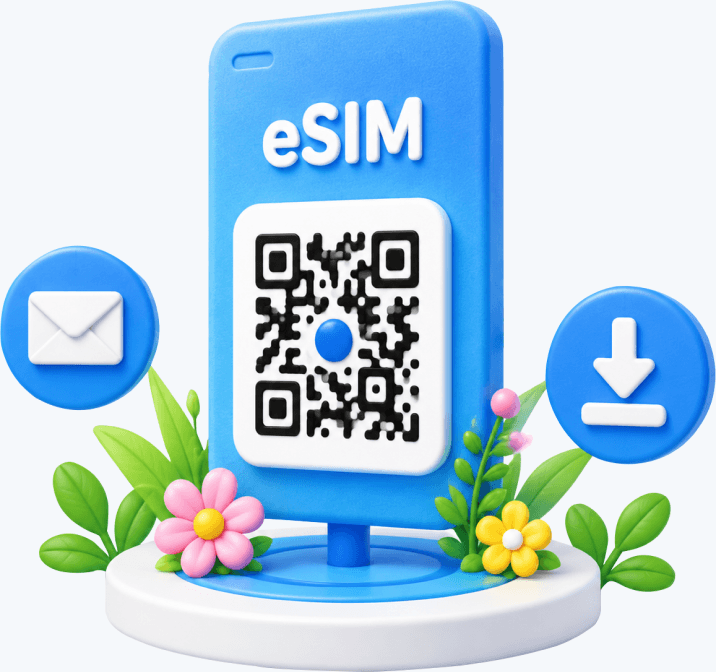
An eSIM (Embedded SIM) is a digital SIM card built directly into your device. Unlike traditional physical SIM cards that require insertion and removal, an eSIM allows you to download and activate a data plan by scanning a QR code provided by the carrier or directly through an app, eliminating the need to swap physical SIM cards.

No complicated checks needed. The AirZlink app features a built-in smart detection tool that automatically identifies and instantly confirms your device's eSIM compatibility, guiding you through the next steps.

Once you have installed the eSIM on your device, you can use it by following these steps:

1. Locate your installed eSIM and ensure the eSIM switch is turned ON.

iOS: Settings > Cellular > SIMs

Android (e.g., Samsung): Settings > Connections > SIM Manager

2. Confirm that Mobile Data is set to use this eSIM.

iOS: Settings > Cellular > Cellular Data

Android (e.g., Samsung): Settings > Connections > SIM Manager > Preferred SIMs > Mobile data

3. Confirm that Data Roaming is enabled for this eSIM.

iOS: Settings > Cellular > SIMs > Select your current eSIM > Data Roaming

Android (e.g., Samsung): Settings > Connections > Mobile Networks > Data Roaming

4. To avoid accidental use of your primary SIM's roaming data, we recommend turning off 'Allow Cellular Data Switching'.

iOS: Settings > Cellular > Cellular Data > Allow Cellular Data Switching

Android (e.g., Samsung): Settings > Connections > SIM Manager > Auto data switching

For installation instructions, please refer to:

Data from your eSIM plan can only be used within the validity period. Once the plan expires, any remaining unused data will be forfeited.

If you have any questions, please feel free to contact our support team: support@airzlink.com

Setting mobile data limits on Android devices helps reduce data usage. You can choose your billing cycle, add data limits, and get warnings before reaching the limit. Follow these steps to set up mobile data limits.

For Samsung devices:

1. Open 'Settings' and tap 'Connections'.

2. Tap 'Data usage'.

3. Ensure mobile data is on, then tap 'Billing cycle and data warning'.

4. Tap 'Start billing cycle on' and set the date based on your arrival at the destination.

5. Enable 'Set data warning' and specify the data warning limit. For example, if your eSIM plan has 10 GB, you can set the warning to 8 GB.

6. Enable 'Set data limit' and specify the data limit. This option turns off mobile data when you reach the specified limit.

For Google Pixel devices:

1. Open 'Settings' and tap 'Network & internet'.

2. Tap 'SIMs'.

3. Ensure mobile data is on, then tap 'Data warning & limit'.

4. Tap 'Mobile data usage cycle' and set the date based on your arrival.

5. Enable 'Set data warning' and specify the limit.

6. Enable 'Set data limit' and specify the limit.

No. An eSIM can only be installed and used on one device.

eSIMs cannot be transferred between devices. For example, if you delete the eSIM from your current device, it cannot be reinstalled or reactivated on the same or another device.

This is determined by the technical design of eSIM: once activated, each eSIM is securely bound to the initial device. This one-to-one association helps ensure user and device security. If an eSIM is removed due to device replacement or operation error, you will need to purchase a new eSIM for that device to get mobile connectivity.

Therefore, please confirm that you intend to use the device continuously before installing. If you have any questions or need further assistance, please feel free to contact our support team.

Butuh Bantuan Lebih Lanjut?

AirZlink menawarkan dukungan multibahasa 24/7.

Support
Hubungi Kami
Download App
Diskon 50%

Unduh aplikasi untuk membuka

pesanan pertama Anda
Download Iconaktivasi eSIM sekali ketuk
Time Iconpelacakan penggunaan waktu nyata